Infrastructure and cloud
IT Procurement
Our IT procurement services help you choose hardware, software, and licensing without overspending or buying technology that ages quickly. Every recommendation supports your strategy, security, staff experience, available budget, and plans for confident future growth.
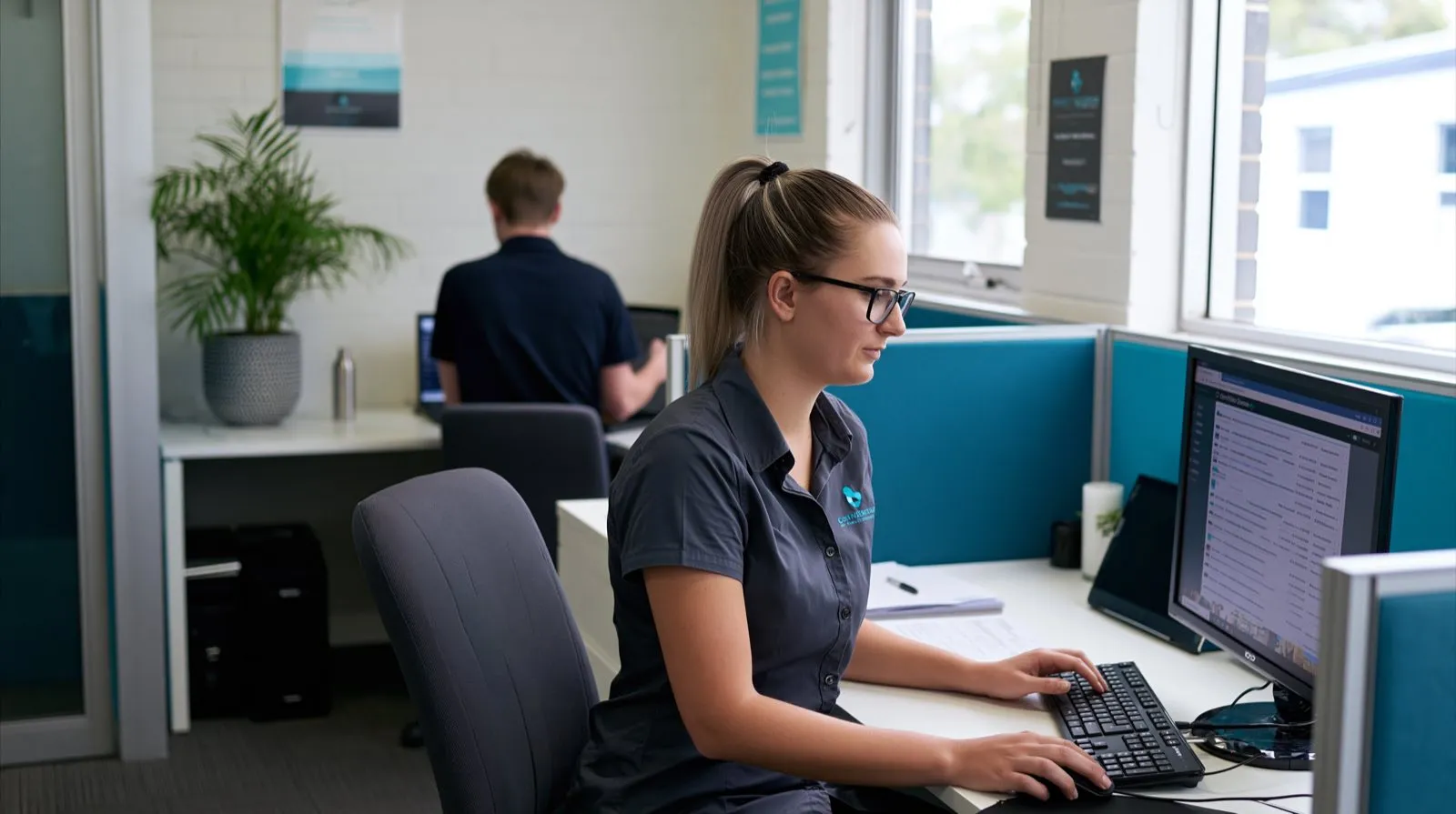



Elscomm provides IT procurement services for Sydney businesses of 10 to 70 staff. We help you choose, buy, set up and look after the technology your team relies on: laptops, desktops, networking equipment, software licences and the peripherals in between. Devices are bought to a standard, prepared for zero-touch setup before anyone opens the box, tracked through their life and wiped properly when they retire.
Comparing IT procurement companies, or looking for IT procurement consulting before a refresh? This page covers what business IT procurement includes, how to buy and replace devices and licences well, and what to ask any provider.
IT procurement in numbers
- 14 Oct 2025 Windows 10 reached end of support
- $20,000 per-asset instant asset write-off for small businesses, made permanent from 1 July 2026
- 7 days to cancel a new Microsoft 365 subscription term
- 2006 the year Elscomm started supporting Sydney businesses
At a glance
- IT procurement means sourcing, buying, setting up and managing your business technology, not just finding something to order.
- New Windows devices are prepared for Windows Autopilot and Microsoft Intune, so staff sign in and get a ready-to-use laptop.
- Microsoft licences are matched to what each person needs, on terms suiting how your headcount changes.
- Every device is tracked from purchase to secure disposal, with replacements planned before things fail.
- Your first step is a free IT assessment.
What are IT procurement services?
IT procurement services handle buying your business technology from start to finish: working out what you need, sourcing it, setting it up, delivering it and managing it until it is retired. Information technology procurement, or tech procurement, is a bigger job than placing an order, because every device and licence has to fit your security, your support and your budget.
Without an IT department, the job lands on an office manager or a director, and each purchase becomes a small project. Outsourcing IT procurement hands that work to people who buy and support the same equipment every week. Elscomm handles hardware, software and licensing in one place, with one point of contact and one invoice. Because the team buying your devices also supports them, every purchase is made with the next few years in mind.
What does IT procurement cover?
Most IT procurement solutions cover five groups of technology. We scope each one around how your team works.
- Laptops and desktops: business-grade Windows devices in a few standard models, chosen for the roles in your business.
- Networking: switches, wireless access points, firewalls and cabling for upgrades and office moves, planned with our network services team.
- Software and licences: Microsoft 365, Windows, security software and the line-of-business applications your industry relies on.
- Peripherals: monitors, docks, headsets, webcams and meeting room equipment, matched to your laptops.
- Phones and tablets: mobile devices enrolled in management from day one. See mobile device management.
Larger jobs, such as server replacements and office fit-outs, run as IT infrastructure projects with the hardware procurement built in.
Why does standardising devices cut IT support load?
Fewer models means fewer kinds of fault. When everyone uses one of a few standard laptops with the same setup, problems are easier to diagnose and fixes apply to everyone at once.
- One set of updates: drivers and updates are tested once per model, not separately for 20 different machines.
- Known fixes: once a problem is solved on one device, the help desk knows the fix for all of them.
- Spares that fit: chargers, docks and a spare laptop work for anyone in the business.
- Consistent security: the same encryption and sign-in settings everywhere, which makes cyber insurance questionnaires easier.
When buying IT hardware for business, business-grade matters as much as consistency. Windows Autopilot, the tool behind zero-touch setup, supports Windows 11 Pro, Enterprise and Education editions, not Home (Microsoft). A cheaper laptop with Windows Home can cost more to bring under management later. Every Windows 11 device also needs a TPM 2.0 security chip, which older hardware may lack (Microsoft).
For a business of 10 to 70 staff, a practical standard operating environment is usually two or three laptop models, one dock and one monitor, reviewed each year.
How does zero-touch setup with Autopilot and Intune work?
Zero-touch setup lets a new Windows laptop go from the box to a working, secured device without IT handling it first. When a staff member turns it on and signs in with their work account, Windows Autopilot enrols it in Microsoft Intune, which installs your apps, security settings and policies automatically (Microsoft).
What has to be in place
- A supported Windows edition: Windows 11 Pro or higher. Home editions are not supported.
- The right licences: Autopilot relies on Microsoft Entra ID and Intune features, which come with plans such as Microsoft 365 Business Premium (Microsoft).
- Device registration: each device's hardware identity has to be registered to your Microsoft tenant. In most cases Microsoft recommends registration through Partner Center, the route partners use, instead of uploading device IDs by hand, which it treats as mainly for testing (Microsoft).
- An Intune setup: apps, settings and security baselines built once and applied to every device.
With this approach to IT hardware procurement, a new starter can have a working laptop on day one wherever they work. Ongoing device management is covered on our mobile device management page.
How should a business buy Microsoft licences?
Buy for what each person actually does, and choose terms matching how often your headcount changes. Small businesses often overspend on top-tier plans for staff who don't need them, or on seats for people who have left.
- Match the plan to the role: Microsoft 365 Business Basic has no desktop Office apps, while Business Standard and Business Premium include them (Microsoft). Business Premium adds the device management and security features zero-touch setup depends on.
- Know the limit: Microsoft 365 Business plans are designed for up to 300 users combined across Business Basic, Standard and Premium (Microsoft). That leaves plenty of room for a business of 10 to 70 staff, but it matters if you plan to grow quickly.
- Choose terms carefully: under Microsoft's current licensing model, a new subscription can only be cancelled in the first seven days of its term (Microsoft). Annual terms suit staff you are sure of. Monthly terms suit seats that come and go.
- Watch the price changes: Microsoft raised its commercial list prices from 1 July 2026. Business Basic went up 16% and Business Standard 12%, while Business Premium stayed the same. These are US list prices, so local prices vary, and existing customers stay on their current price until renewal (Microsoft). The gap between Standard and Premium has narrowed.
- Review regularly: we check licence counts against active staff before renewals, so leavers' seats are reused or removed instead of quietly renewed.
Elscomm is a Microsoft Partner. For a full licensing review, including a move between plans, see Microsoft 365 consulting.
How long should business laptops and other IT hardware last?
Most businesses plan to replace laptops after three to four years, matched to the warranty. Replace sooner if a device is slowing someone down, keeps failing, or can't run a supported version of Windows.
| Equipment | Plan around | Replace early when |
|---|---|---|
| Laptops | Three to four years, matched to the warranty | Out of warranty, failing battery, or slowing the user down |
| Desktops | Often longer than laptops | It can't run a supported version of Windows |
| Monitors and docks | Often outlast two laptops | They no longer work with your standard laptop |
| Network equipment | The manufacturer's support end date | Security updates stop |
Support end dates matter more than age. Windows 10 reached end of support on 14 October 2025 (Microsoft), and every device unable to run Windows 11 became a replacement job.
Businesses that weren't ready can buy time, at a rising price. Microsoft's Extended Security Updates for organisations cost US$61 per device for the first year, and the price doubles each year for a maximum of three years. The updates are cumulative, so joining late means paying for the years already missed, and they cover security fixes only (Microsoft). Weigh three years of that against the cost of a new device.
We keep a register of every device with its purchase date, warranty and support end, so replacements are planned ahead, not rushed.
What happens with warranties, faults and returns?
When a device under warranty fails, the claim shouldn't land on your desk. As part of our managed IT services, we diagnose the fault, log the claim with the manufacturer and follow it through to repair or replacement, keeping the user working on a spare where one is available. Wrong items and devices arriving faulty go back to the supplier through us. Warranty end dates sit in the asset register, so you can decide on extended cover or replacement before cover lapses.
Australian Consumer Law protects business buyers too. Goods bought for business use are covered by the consumer guarantees if they meet at least one condition set by the ACCC, such as costing less than $100,000 including GST (ACCC). That protection sits alongside the manufacturer's warranty, not instead of it.
How should old devices be disposed of and wiped?
Wipe or destroy the storage, remove the device from your management tools and record its retirement before it leaves the business. Old laptops hold client files, cached email and saved sign-ins. The Australian Signals Directorate's Information Security Manual says IT equipment needs to be sanitised, destroyed or declassified before it can be released into the public domain (ASD).
- Back up and check: make sure nothing the business needs lives only on the device.
- Remove it from management: delete the device records from Intune, Microsoft Entra ID and Windows Autopilot, which Microsoft says is needed to remove a device from a tenant completely (Microsoft).
- Wipe or destroy: securely wipe the storage, and physically destroy drives that can't be wiped.
- Record it: note the serial number, date and method in the asset register.
- Reuse or recycle: redeploy, donate or send the device to an e-waste recycler.
Ask any provider for a record of what was wiped and how. If a client asks what happened to a laptop holding their information, that record is your answer. Under the Privacy Act, a business must also take reasonable steps to destroy or de-identify personal information it no longer needs (OAIC), and a laptop leaving the building is where that often goes wrong.
How do you plan an IT hardware budget?
A simple IT procurement strategy works best: plan replacements a year ahead from your asset register, spread them evenly, and allow for new starters and breakages. A budget built from the register avoids the year when half the laptops fail at once.
- Stagger refreshes: replace a third or a quarter of devices each year instead of everything together.
- Budget for growth: one standard kit (laptop, dock, monitor and headset) for each planned new starter.
- Include licences: per-user subscriptions grow with headcount, so plan them alongside hardware.
- Keep a spare: one or two spare laptops mean a failure costs minutes, not days.
Lease, buy or device as a service?
Both work. Buying outright suits businesses keeping devices for their full life. Leasing, or device as a service (DaaS), spreads the cost into regular payments and can bundle replacement, but usually ties you to a term.
The tax treatment has become more certain for buyers. From 1 July 2026, the $20,000 instant asset write-off is permanent for small businesses with turnover under $10 million. It applies per asset, so each laptop, monitor or switch costing less than $20,000 can be deducted in the year it is first used (ATO). Ask your accountant how it applies to you, and set your device standard first.
For what our managed IT services cost, see our pricing page.
How our IT procurement service works
The same six steps apply to one laptop or a whole-office refresh.
- Assess: a free IT assessment reviews your devices, licences, warranty dates and support end dates.
- Standardise: we agree standard models, peripherals and a setup suiting each role.
- Source: we source from Australian suppliers and give you an itemised quote in writing.
- Prepare: devices are registered for Autopilot, Intune is set up and licences are assigned before delivery.
- Deliver: staff sign in to a ready device. Onsite help is included on our Advanced plan within 50 km of the Sydney CBD, and other visits are quoted.
- Manage: we track every device, handle warranty claims, plan replacements and retire devices securely.
These end-to-end procurement services run alongside our help desk, open Monday to Friday, 8am to 5pm.
Should you use an IT procurement consultant or buy it yourself?
If you buy one laptop a year, buying it yourself is fine. Once you have 15 or more staff, the setup time, support calls and unused licences a partner saves usually outweigh the convenience of buying direct.
| What matters | Buying it yourself | An IT procurement partner |
|---|---|---|
| Choosing models | Whatever is in stock or on special | A standard chosen for your roles |
| Setup | Someone in the office unboxes and configures | Registered for Autopilot and ready at sign-in |
| Microsoft licensing | Bought ad hoc, often over-licensed | Matched to each role and reviewed before renewal |
| Warranty and returns | You chase the manufacturer | Logged and followed through for you |
| Lifecycle | Devices replaced when they fail | Replacements forecast from an asset register |
| Disposal | Old laptops pile up in a cupboard | Wiped, retired and recorded |
Managing suppliers is part of the same job. Our help desk deals with your other technology suppliers on your behalf, as part of every plan.
Questions to ask any IT procurement provider
Whether you are comparing IT procurement services in Sydney or providers Australia-wide, put these questions to each one:
- Do you support the devices you sell, or only supply them?
- Will devices arrive registered for Autopilot and ready for Intune?
- How do you choose models, and will you help us keep to a standard?
- How do you check our Microsoft licences against our actual staff?
- Who handles warranty claims and returns, and how do we log one?
- Do you keep an asset register we can see?
- How do you wipe and dispose of old devices, and do we get a record?
To compare providers more broadly, see our guide to the best managed service providers in Sydney.
IT procurement questions and answers
Can you buy laptops and hardware for us?
Yes. We source laptops, desktops, networking equipment, peripherals and software licences from Australian suppliers, set them up and deliver them ready to use. You get one point of contact and one invoice, whatever you buy.
Do you set up new devices before they arrive?
Yes. New Windows devices are registered for Windows Autopilot and set up in Microsoft Intune, so staff sign in with their work account and the device installs your apps and security settings. Where a device needs hands-on setup, we prepare it before delivery.
How long should business laptops last before replacement?
Most businesses plan on three to four years, matched to the warranty. Replace one sooner if it is slowing someone down, keeps failing or can't run a supported version of Windows.
Should we lease or buy IT hardware?
Both work. Buying suits businesses that keep devices for their full life. Leasing or device as a service spreads the cost and can bundle replacement, but ties you to a term. Check the tax treatment with your accountant, and set your device standard first.
Why avoid laptops with Windows Home for business?
Windows Autopilot doesn't support Home editions, so those laptops can't use zero-touch setup and are harder to manage and secure centrally. Buy Windows 11 Pro or higher for business use.
Can we reduce our Microsoft 365 licences at any time?
Not always. New Microsoft subscriptions can only be cancelled in the first seven days of their term, so annual seats are usually fixed until renewal. We review licence counts before each renewal and use monthly terms for seats that change often.
What happens to our old laptops?
We back up anything the business needs, remove the device from your management tools, wipe it securely or destroy the drive, and record it in your asset register.
Sources
- Microsoft Learn, Windows 10 Home and Pro lifecycle: end of support 14 October 2025
- Microsoft Learn, Windows 11 requirements: TPM 2.0
- Microsoft Learn, Windows Autopilot requirements: supported editions and licences
- Microsoft Learn, Register devices with Windows Autopilot: partner registration and removing devices
- Microsoft Learn, Microsoft 365 plan options: Business plans up to 300 users
- Microsoft Learn, New commerce license-based overview: seven-day cancellation window
- ACCC, Consumer rights and guarantees: business purchases
- Microsoft Learn, Windows 10 Extended Security Updates: US$61 per device in year one, doubling each year, maximum three years
- Microsoft, 2026 Microsoft 365 pricing and packaging updates: list price changes from 1 July 2026
- ATO, $20,000 instant asset write-off here to stay: permanent from 1 July 2026
- ASD, Information Security Manual: guidelines for IT equipment disposal
- OAIC, Australian Privacy Principle 11: destroying or de-identifying personal information no longer needed
Last reviewed November 2026.
How Elscomm helps
Elscomm is a managed IT services provider supporting Sydney businesses of 10 to 70 staff since 2006. IT procurement sits inside the help desk, device management and Microsoft 365 work we already do, so the team that buys your devices is the team that supports them.
Reviews
A highly reviewed MSP in Sydney
98.9% ticket satisfaction, scored by whoever raised each ticket, and 5.0 from 90 Google reviews.
Read client reviewsLocation
A North Sydney business address
Level 25, 100 Mount Street, North Sydney NSW 2060. We support clients across Greater Sydney, remotely and on site.
We buy and set up equipment for sites across Sydney, including firms looking for IT support in Penrith or managed IT services in Norwest.
Infrastructure and cloud servicesContact
Talk to the team
Call (02) 8188 9777 between 8am and 5pm, Monday to Friday, or send us a message.
Contact ElscommOur 90-day promise
Three wins in 90 days
Three measurable improvements in your first 90 days, or we keep working free until you see them.
Book a free assessmentStart here
Your expert is one message away